Copy the link of the TikTok photo post, paste it into the TikTok slideshow downloader and tap Download. You'll see every slide in order. Tap a photo to save it on its own, or tap Download all (ZIP) to get the whole carousel at once, at the size TikTok stores it.
| Question | Answer |
|---|---|
| What you get | Each slide as a JPG or WebP image, plus the soundtrack |
| Bulk option | One ZIP with every slide, numbered in order |
| Quality | The full-size image TikTok stores, usually 1080 px wide |
| Watermark | None on the images |
| Devices | iPhone, Android, Windows, Mac, Chromebook |
| Price | Free, no account |
Why slideshows are awkward to save
TikTok photo mode is great for recipes, outfit dumps, study notes, travel itineraries and memes. Saving it is less great. Screenshots crop the image and add the interface on top. The app's Save option, when the creator allows it, turns the carousel into a video with music, which is no use if you just want photo five.
A proper download fetches the original image files behind the post. You get crisp pictures without buttons, captions or the TikTok logo baked in, and you get all of them, not just the first one.
Step by step: save every slide
- Open the photo post in TikTok and tap Share › Copy link. Carousel links usually contain /photo/ in the address.
- Go to tiktokdownload.me/tiktok-slideshow-downloader/ in your browser.
- Paste the link and tap Download.
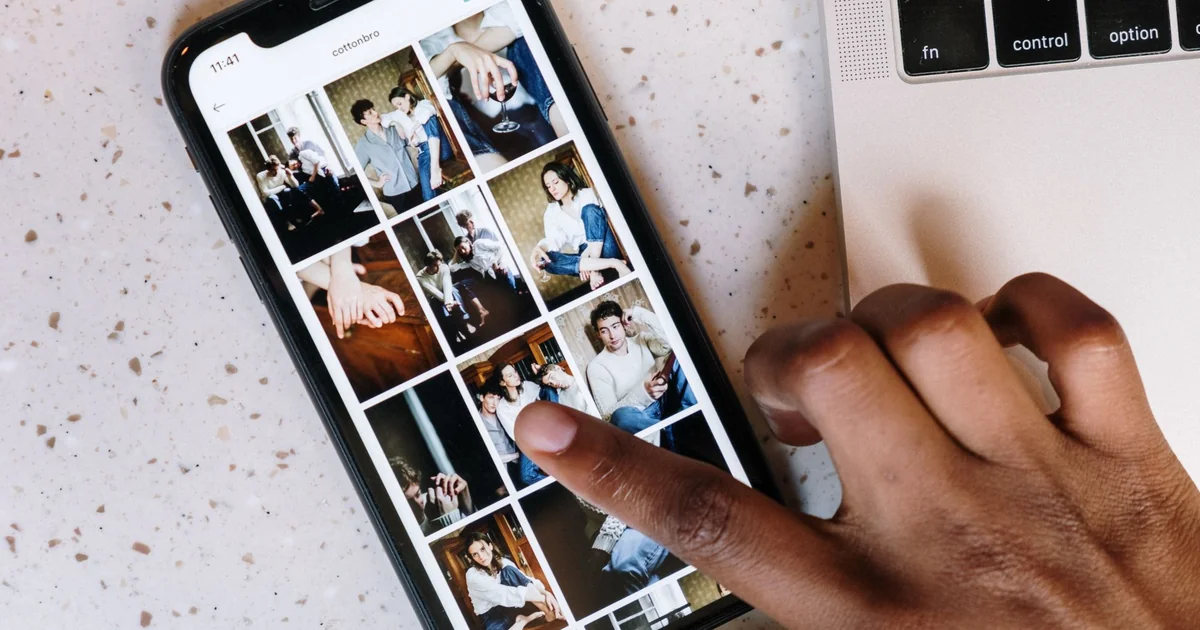
- A gallery shows each slide in order. Tap any image to save it individually.
- To grab the lot, tap Download all (ZIP). The archive keeps the slides numbered 1, 2, 3 so the order survives.
The same steps work from our TikTok photo downloader page and from the homepage. The slideshow page just explains the ZIP option in more detail.
Single photos or a ZIP?
On phones, single photos are usually simpler. They go straight to your gallery (Android) or can be saved to Photos with one tap (iPhone). ZIP files need an extra step to unpack, though both iOS and Android handle that natively now.
On a computer, the ZIP wins. One click, one file, and you can unzip it into a folder named after the creator or the topic. If you're collecting reference images, mood boards or study notes, that's the tidy way to do it.
Saving slides on iPhone
Safari downloads go to Files › Downloads. For a single image, tap it in the gallery, then long-press and choose Save to Photos, or use Share › Save Image after it opens.
For a ZIP, open Files, tap the archive and iOS unpacks it into a folder next to it. Select the images, tap Share and choose Save Images to move them into Photos. Our guide to saving TikToks on iPhone has more detail on how Files and Photos interact.
Saving slides on Android
Each image you tap saves to Download and appears in your gallery after a moment. For ZIP files, open Files by Google, tap the archive and choose Extract. Samsung's My Files does the same. See saving TikTok to your Android gallery if a picture doesn't show up.
Saving slides on a computer
Click Download all (ZIP), open your Downloads folder and double-click the archive. Windows and macOS both extract ZIPs without extra software. For a big research project, make a folder per creator and keep the post link in a text file next to it, so you can always find the source.
What about the music?
Carousels usually have a sound attached. If you want it, tap the MP3 button that appears alongside the images. Our TikTok MP3 downloader handles that the same way it does for videos. On some photo posts the audio comes as AAC inside the file; it plays everywhere but strict editors may call it M4A.
Image quality explained
TikTok resizes photos when they're uploaded, usually to around 1080 pixels on the long or short side, and often stores them as WebP or JPEG. We hand you that stored file without recompressing it. That means:
- Images look as sharp as they do in the app, often sharper because there's no interface on top.
- Very large originals (from a DSLR, say) will be smaller than the creator's original file. That's TikTok's resizing, and no downloader can undo it.
- WebP images open in every modern browser, Windows Photos, macOS Preview and both phone galleries. If an old program refuses them, convert to JPG with a free tool.
Troubleshooting slideshows
I only see one image
Some posts look like carousels but are actually a video made from photos. In that case you'll get a video download, not separate images. Use the MP4 button.
The ZIP won't open on my phone
Make sure the download finished; a half-downloaded ZIP is corrupt. Try again on Wi-Fi, or save images one at a time.
"This post wasn't found or is private"
Private and friends-only carousels can't be reached by any downloader. If it's your own post, see our guide to downloading your own TikTok videos.
The images are in the wrong order
They shouldn't be: files in the ZIP are numbered in the order TikTok lists them. If your gallery sorts by date, switch it to sort by name.
Clever ways people use saved carousels
Slideshows have become TikTok's version of a pocket notebook, so it's worth thinking about how you'll organise what you keep:
- Recipes: save the ingredient and method slides into a "Cooking" album, and you can follow along offline with flour on your hands.
- Study notes: students save revision carousels as a ZIP per subject, then drop the folder into a note app.
- Travel plans: itineraries, maps and packing lists are easy to keep in one album for the trip.
- Outfit and interior ideas: designers collect slides into mood boards on a laptop.
If you're saving many posts from the same account, save the post links too. When you want to credit someone or check for an update, the link takes you straight back. And if a carousel has a video version as well, the regular TikTok video downloader handles that in the same box.
Use the photos respectfully
Carousels are often someone's original photography or design work. Keeping a recipe or a reference board for yourself is fine. Reposting the images as your own, or using them commercially, needs the creator's permission. If someone reports a problem with content you've shared, our DMCA policy explains how takedowns work.