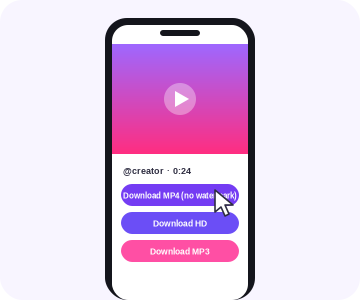
TikTokDownload.me downloads TikTok videos in the highest quality TikTok stores for them — usually HD 720p and often Full HD 1080p — with no watermark and no re-compression. Paste the link, press Download and pick the HD button when it's offered.
What “HD” really means on TikTok
TikTok keeps several copies of each video. The one the app streams is often squeezed to save data. When a creator uploads in high resolution, TikTok also stores a sharper version, and that's the one our HD downloader looks for.
We can't make a video sharper than it was uploaded — no tool honestly can. If a clip was filmed in 720p, you'll get a crisp 720p file. If it was uploaded in 1080p, you get 1080p.
When you'll see the HD button
- If TikTok offers both an H.264 and an HEVC version, you'll see “Download MP4” and “Download HD (HEVC)”.
- HEVC files are smaller for the same quality and play natively on recent iPhones, Macs and most Android phones.
- On older Windows PCs, choose the regular MP4 for guaranteed playback — see downloading TikTok on PC.
HD downloads on every device
The HD option works the same as the standard TikTok downloader without watermark. Follow the iPhone guide or Android guide if you want the file in your camera roll.